Sublimation Ink
Sublimation Ink For Epson & Other Industrial Printheads
Sublimation printer had a completely unique printing system that makes use of warmness to switch dye onto exceptional materials, bypassing the liquid section entirely. In this technique, sublimation ink turns from strong to fueloline at excessive temperatures, commonly among 350 and 420 ranges Fahrenheit. This fueloline then permeates the fibers of the material, bonding with them at a molecular stage and developing vibrant, long lasting prints. The dye sublimation technique permits for this modern switch method.
Sublimation Ink Offers :
- Advanced Grinding and Stabilization Technology
- High purity Dyestuff – long printhead life
- Excellent Ink Release- Ensures vibrant and consistent color transfer.
- Long Shelf Life and Improved Stability
- Technical Support for Print Optimization and ICC profiling
Recommended Fabrics:
- Polyester
- Polyester Blends
Sublimation printer had a completely unique printing system that makes use of warmness to switch dye onto exceptional materials, bypassing the liquid section entirely. In this technique, sublimation ink turns from strong to fueloline at excessive temperatures, commonly among 350 and 420 ranges Fahrenheit. This fueloline then permeates the fibers of the material, bonding with them at a molecular stage and developing vibrant, long lasting prints. The dye sublimation technique permits for this modern switch method.
Sublimation Ink
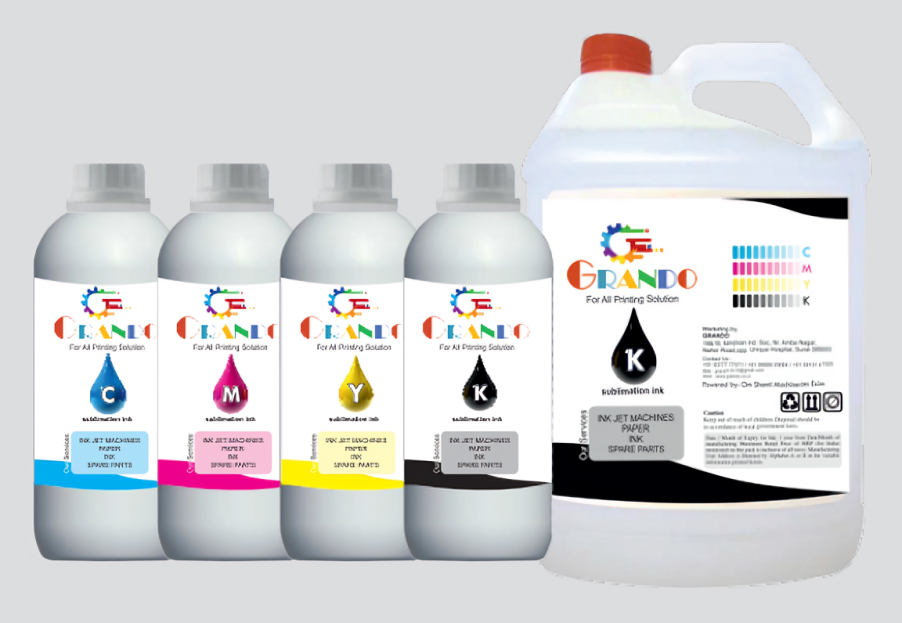
Sublimation ink is a specialized water-based dye ink used in inkjet printers for dye-sublimation printing, Which transfers designs onto polyester fabrics, ceramics, mugs, and other coated substrates via heat and pressure. It converts to gas during transfer for vibrant, durable results without cracking. Common brands like Textsol offer CMYK sets compatible with Epson models such as L805, F170, F130, and L1800.
Compatible Printers
Epson inkjet printers dominate for sublimation due to their piezo printheads.
- Popular models: Epson L805, L1800, F170, F130, F570, L220, L360.
- Brother and Ricoh options exist for specific desktop setups.
Avoid standard desktop inkjets without conversion; use dedicated or converted EcoTank models.
Usage Tips
Sublimation ink requires specific handling and printer maintenance for optimal results in dye-sublimation printing on polyester or coated materials. Key tips focus on storage, usage and quality control to prevent clogs, fading, or inconsistent colors.
Storage Tips
Store ink bottles sealed in a dry, cool location to extend shelf life. Avoid exposure to moisture or humidity, which can interfere with the process.
Printer Setup
Use high-quality ink matched to your printer model, such as Epson Eco Tank models like L130 or L1800, to ensure proper flow and avoid clogs. Never mix brands or types of ink for consistent results.
Maintenance Practices
Perform regular printhead cleanings and run test prints to prevent clogging and maintain print quality. Load sublimation ink only into dedicated or properly converted printers.
Printing and Transfer
Apply ICC profiles for your printer and ink set to achieve accurate colors. Mirror designs, print on high-quality sublimation paper at 300 DPI or higher, and use heat press settings of 375-400 Degree Farenheit for 40-60 seconds. Secure paper with heat-resistant tape and ensure substrates are clean and polyester-based.